1.0 Introduction
USTUR Health Physics Database
The Health Physics Tab
The USTUR database’s Health Physics Tab summarizes bioassay data and provides access to detailed incident, contamination, in vitro bioassay, in vivo bioassay, air monitoring, work site assessment, external dosimetry, and treatment information.
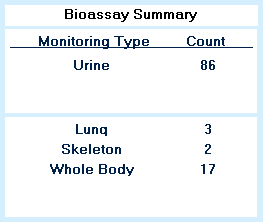
For each case, the number of Urine, Feces, Blood, Skeleton, Lung, Liver, Wound, and Whole Body records are displayed on the left hand side of the form. This summary tabulates only non-zero record counts. Feces, for example, will only appear in the summary if fecal data was recorded in the hard file.
Quick access to detailed Urine, Feces, Blood, Skeleton, Lung, Liver, Wound, and Whole Body data is obtained using the buttons to the right of the summary. These forms include information such as the bioassay type or organ that was counted, primary contaminant, collection and/or count date, derived activities, detector type, and narrative comments.
 |
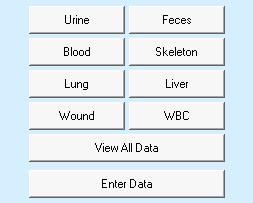 |
| This bioassay summary indicates that there are 86 urinalyses and 3 lung, 2 skeleton, and 17 whole body counts in this registrant’s hard file. | The health physics tab provides quick access buttons for eight bioassay types as well as buttons that open the ‘View All Data’ and ‘Enter Data’ forms. |
View All Health Physics Records
A comprehensive display of all health physics records can be accessed through the ‘View All Data’ button. This main form includes bioassay types, such as nasal smears and thyroid counts, which are not tabulated in the bioassay summary, as well as incident, contamination, air monitoring, work site assessment, external dosimetry, and treatment data. Activities, volumes, doses, and other quantities are displayed in standardized units and are internally derived by multiplying the reported quantity by an appropriate pre-programmed conversion factor.
‘View Health Physics Data’ Form Details
Enter, Edit, and Delete Data
A separate form is used to enter, edit, and delete health physics records. This form, accessed via the ‘Enter Data’ button, is laid out like the main health physics form, but it contains additional fields where reported values can be entered.
Data Entry Guidance